
Index
- A booking that crosses departments
- A booking that the CSR splits into departments
1. A booking that crosses Departments
Most bases will be creating bookings that cross departments. This means that one booking may have services from multiple departments, however, it is still only one booking. The department will be mainly used for reporting.
The booking will be created as normal.
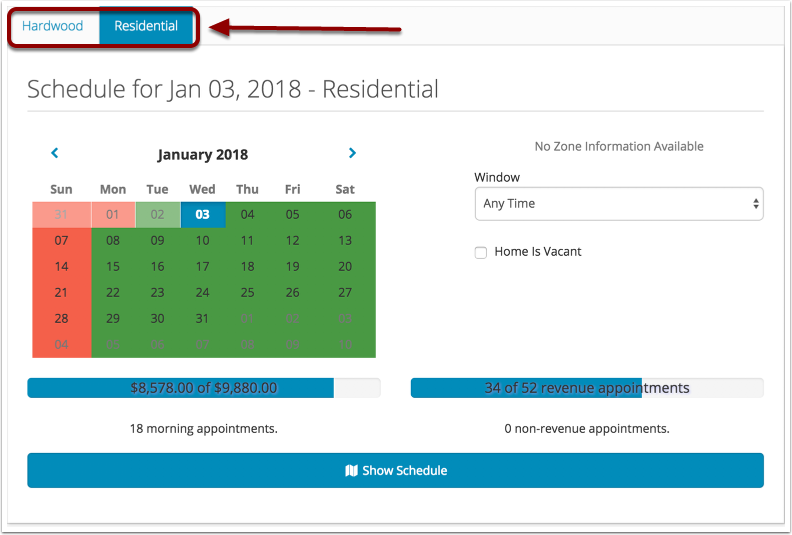
When you create a booking that crosses departments, you will notice that the schedule section of the booking screen has two tabs, one for each department. It does not matter what tab you use to schedule the booking, these tabs are just here to help you see the department capacities.
2. A booking that the CSR splits into departments
Some bases will want to have some bookings that cross departments, like mentioned above, but also will have some bookings that they want to split into departments and create more than one booking.
To manually split the booking,
Enter in services
Once Services are entered, scroll down and you will see a section in the booking screen called "Departments"
Check the "Create a booking for each department" box

Once that box is checked, the Departments section will expand and the departments that are in the current booking are selected.
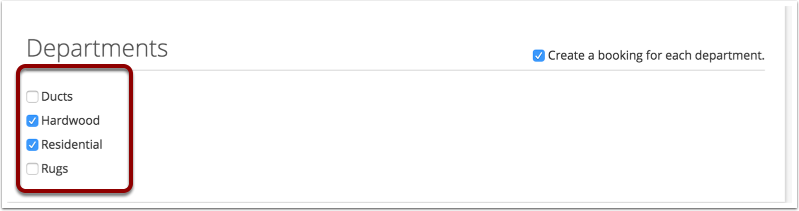
Now when you scroll back up to the services, you will notice two tabs, one for the Hardwood booking and one for the Residential booking. Click the tabs to go back and forth between the two bookings.
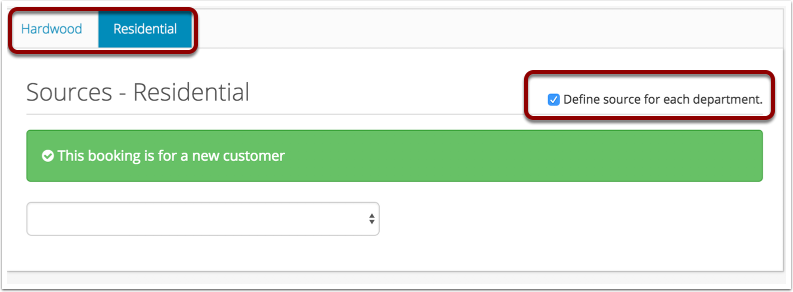
If you need to define separate sources for each of the bookings, click the "Define source for each department" in the sources section of the booking screen. Once that box is checked, you can use the tabs at the top to select a source for each booking.
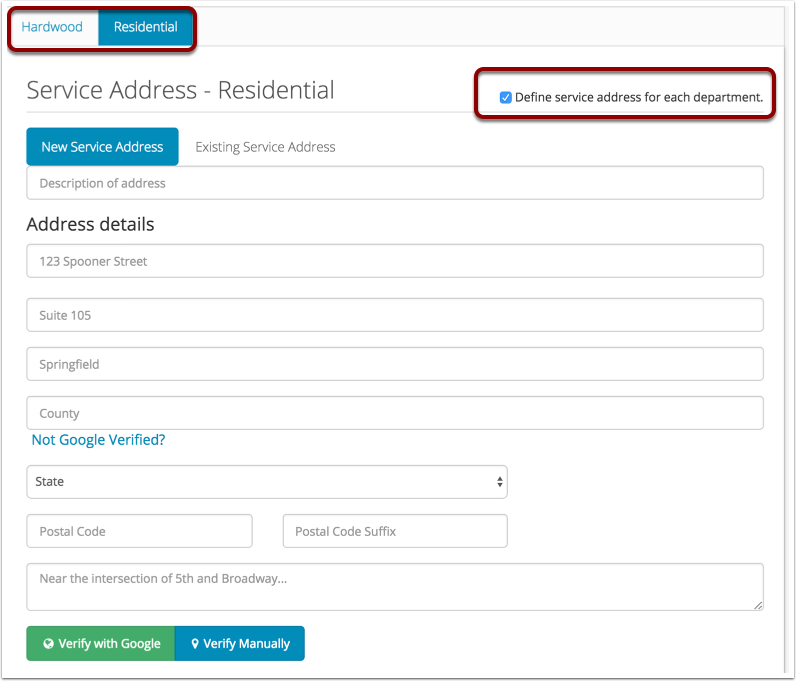
The same is true for the service address. If you need to define separate service addresses for each booking, click the "Define service address for each department" in the Service address section of the booking screen.
The schedule section of the booking screen will also have the two tabs. This way you can click back and forth and schedule each booking separately.
III. A booking that automatically splits into departments
If your franchise wants to always split booking without the CSR having to manually split them, there is a setting in Admin>Company that's just for you!
Check the box next to "Automatically split bookings by department on the booking screen"
When you add services, Zr Ware® will automatically detect which services are in different departments and will split everything automatically.
If each booking needs a different source or a different service address, you will need to check the boxes mentioned above at the end of Section II above.
Comments
0 comments
Please sign in to leave a comment.