
With the launch of the new Marketing Automation program, Zr Ware® will give you the capability to collect new data points.
These new data points include:
- Reason for Cleaning
- Gender
- Age Range
- House Size
- Cleaning Frequency
- Carpet Age
- Presence of Pets, Rugs, Tile or Upholstery
There are multiple places in Zr Ware® where these data points can be collected.
Please note: All data points are optional except Reason for Cleaning which is required when a CSR is completing a booking
Client Screen
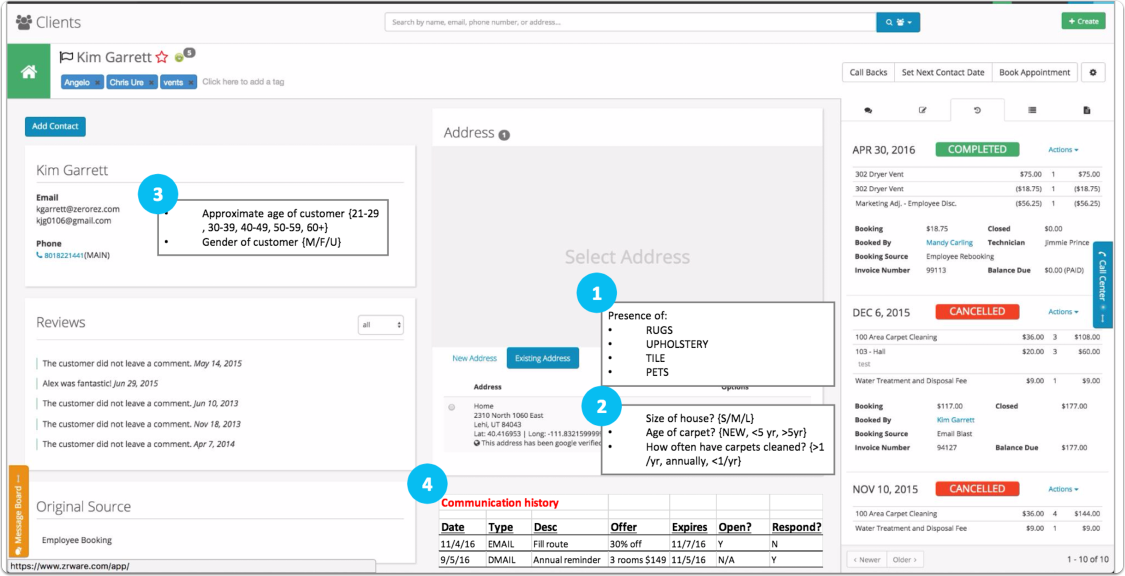
1. Presence of Rugs, Upholstery, Tile and Pets are stored with the service address. As clients can have more than one address, this allows you to collect data on each address
2. Size of House, Age of Carpet and Cleaning Frequency are also attached to the service address
3. Approximate Age and Gender are associated to the contact
4. Communication History: This will list all marketing communication for the client (Future feature)
Presence of, Size of House, Age of Carpet and Cleaning Frequency
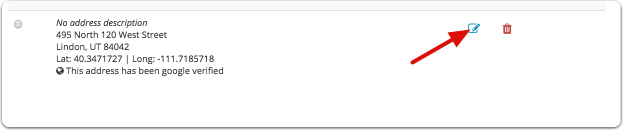
Click the edit button
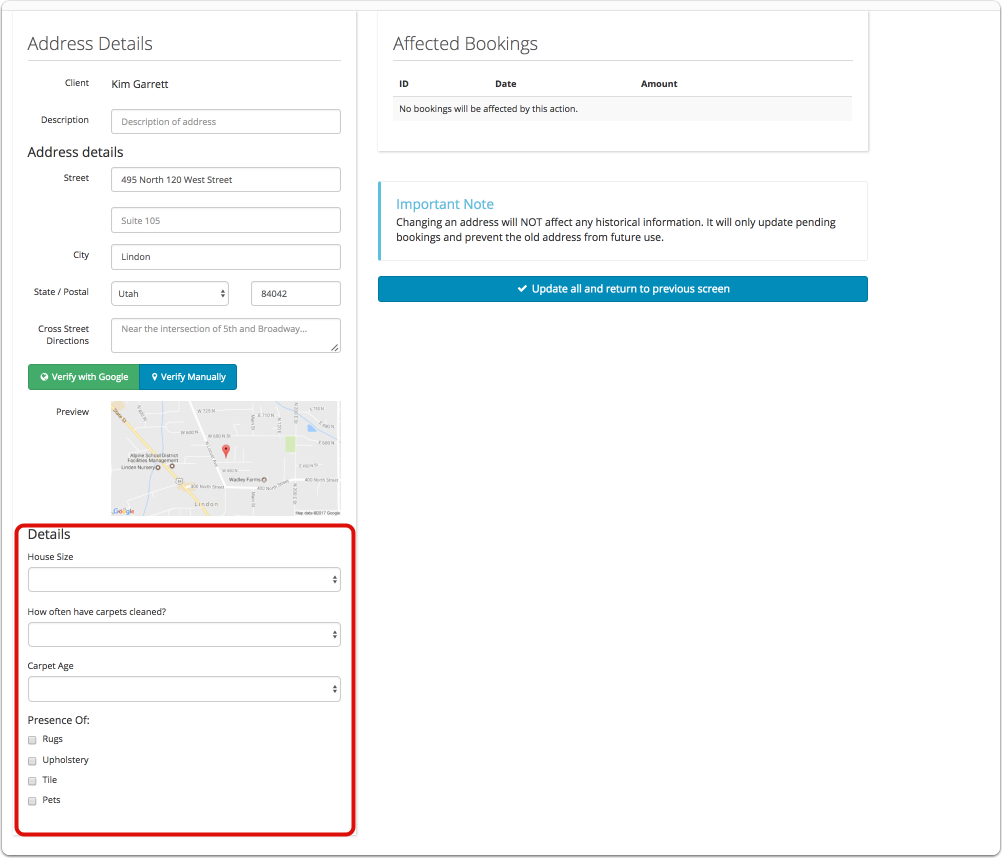
In the bottom left corner of the screen, you will see the "Details" section
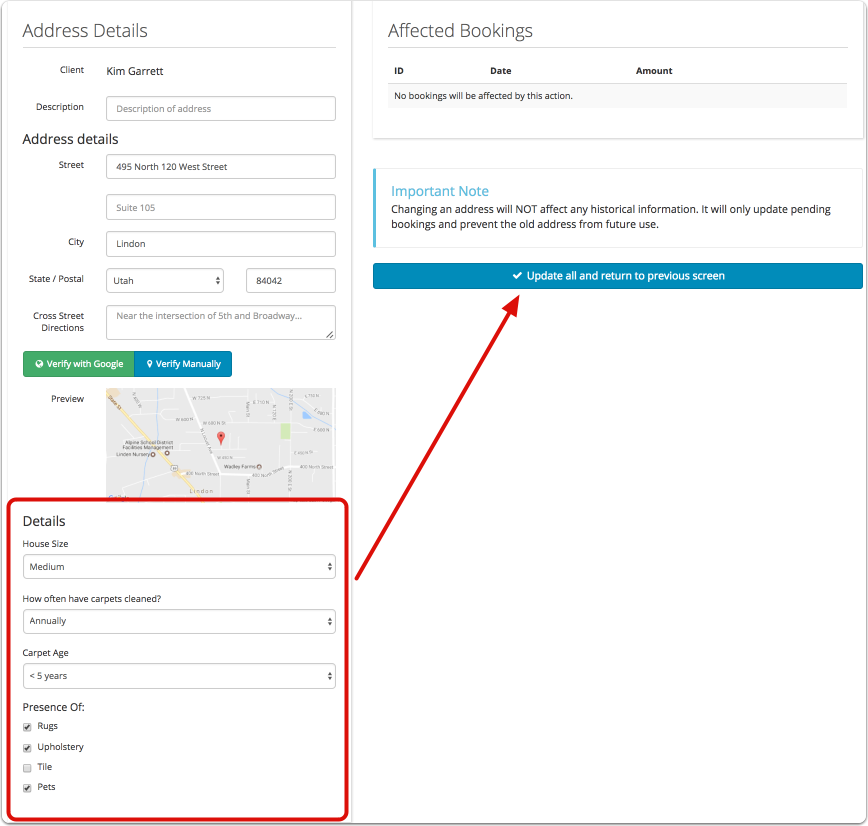
Fill out the data point and click "Update all and return to previous screen"
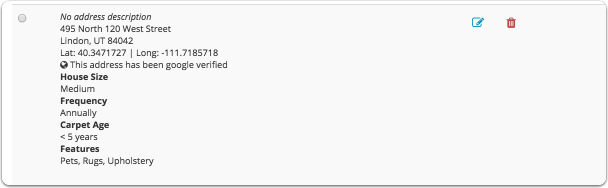
The data points will displayed under the address
Approximate age and Gender

Go to the edit contact screen
Select Age Range and Gender from the drop downs
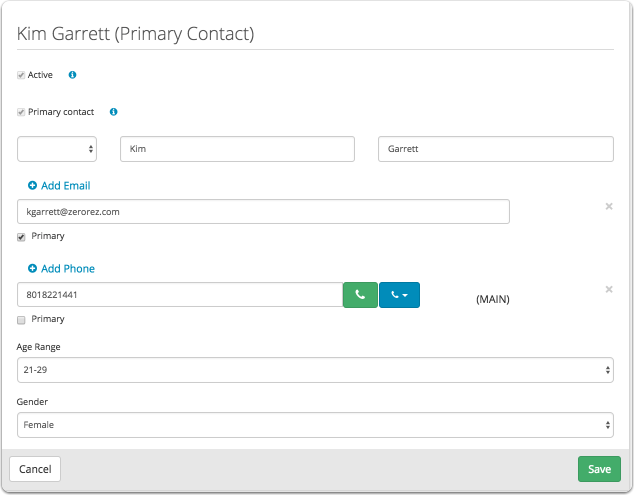
Click Save
WHAT?!? You say I'm not 29.... I can pretend!
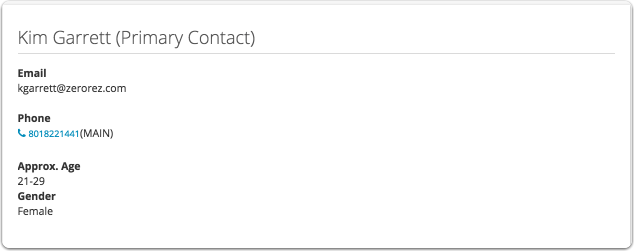
The data points will be saved in the contact information
Booking Screen

1. Reason for Cleaning - This is a REQUIRED field and must be completed before the CSR can save the booking.
2. Presence of, Size of house, Age of carpet, Cleaning frequency
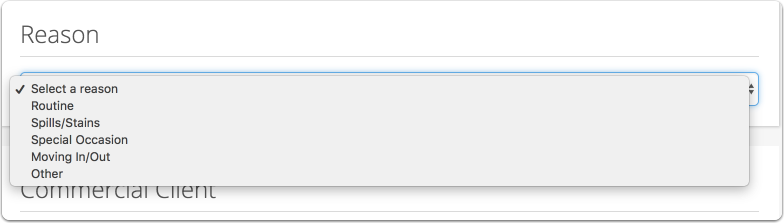
Choose a reason from the drop down
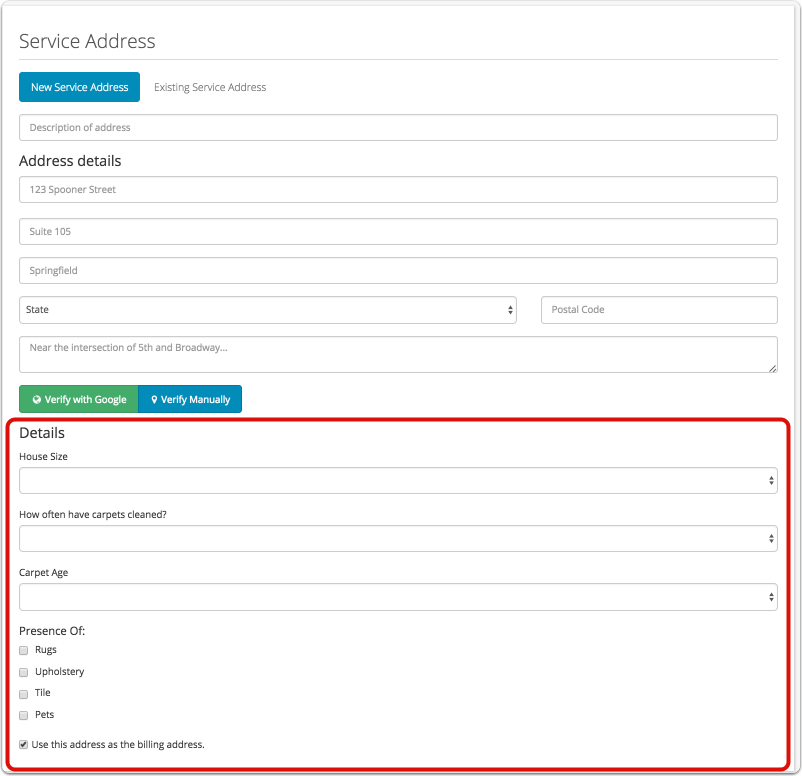
Under the address you will see the fields to capture House size, Cleaning Frequency, Carpet age and Presence of.
Please note: These fields are optional, if the CSR can not collect enough information to fill in these data points, we recommend that the Technician do it while he is in the home. The more information we have about the customer, the smarter our automated marketing can be.
Technician App
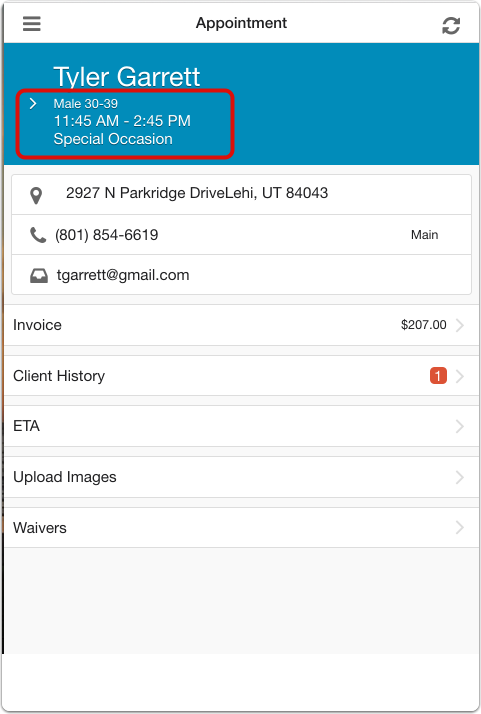
The Cleaning reason will display under the client's name
Also, if Gender and Age have been collected they will be displayed as well.
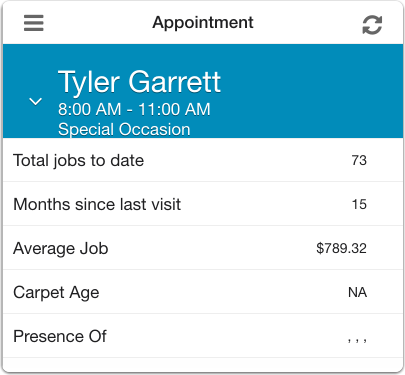
Clicking on the client name will bring up an "At a Glance" screen. This will show the technician pertinent information regarding the client such as Total jobs, Months since last visit, Average job, Carpet Age and Presence of.
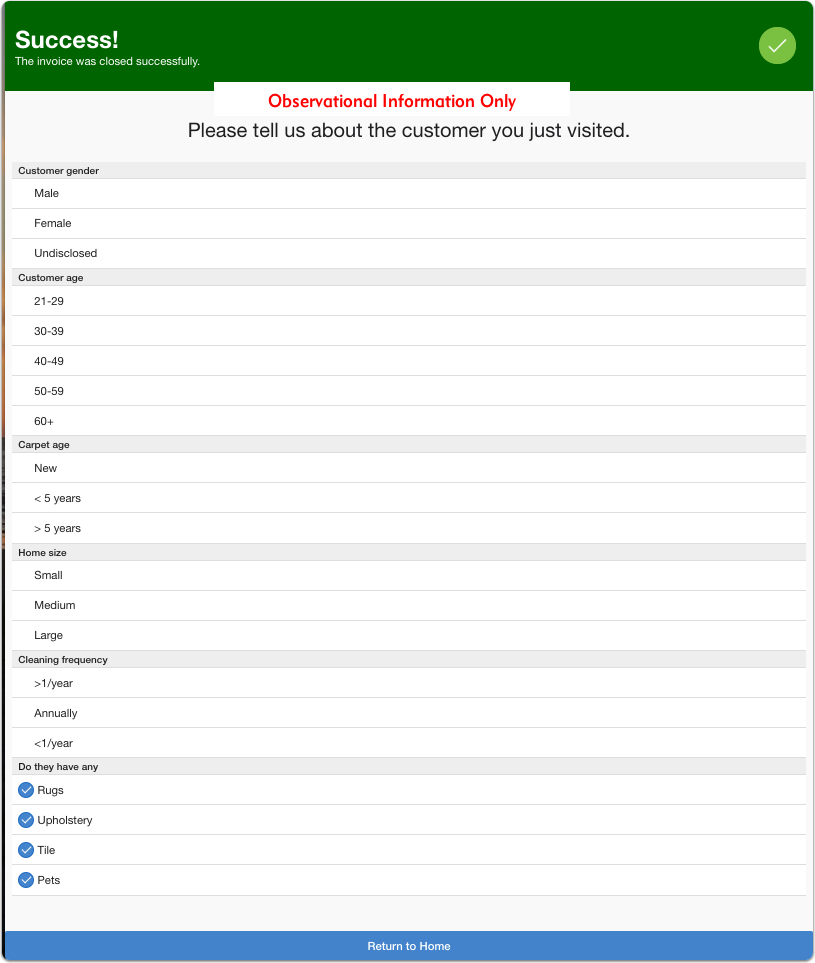
Once the technician closes the job, a "Tell us about the customer you just visited" screen will appear
The technician fills in the information based on what he observes in the home. The Marketing team highly recommends that this data be collected!
Please note: This screen will only prompt the technician to collect information that has not been collected. If you already have the customers Gender and Cleaning frequency filled out, the technician will not be prompted to answer that question.
All the data is then stored back in the client profile.
Comments
0 comments
Please sign in to leave a comment.