
Tags can be added to bookings, services, client records and leads. This information is crucial for the marketing automation.

Tags are fully customizable
The tags in blue are active, and the tags in the gray boxes are inactive
To add a new tag, click Add
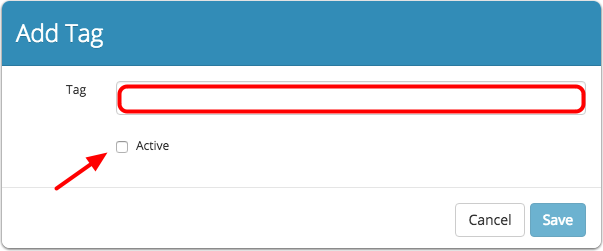
Enter the name of the Tag and place a checkmark in the box next to Active
Click Save
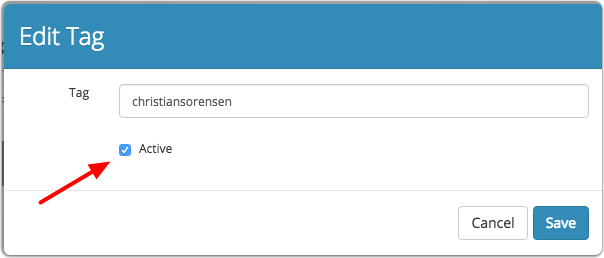
To edit or deactivate a tag, click on the name of the tag to bring up the Edit Tag box
You have the ability to edit the name, or uncheck the box next to Active to made the Tag inactive
Click Save
Comments
0 comments
Please sign in to leave a comment.