
1. Create New Tag
To add a tag to an existing source, first click the source.

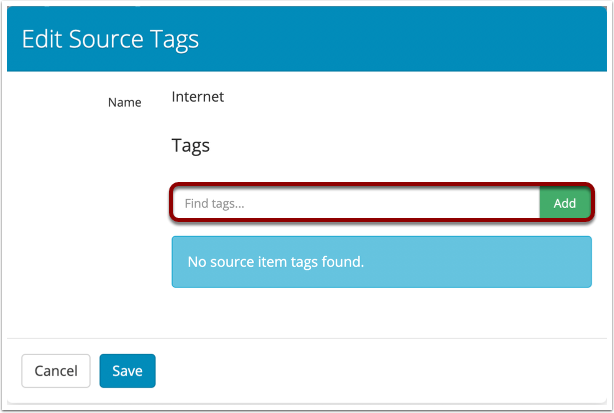
Then, type in the name of the tag in the box that appears and click add, then Save.
2. Delete Existing Tag
To delete an existing tag, select the appropriate source from the list.

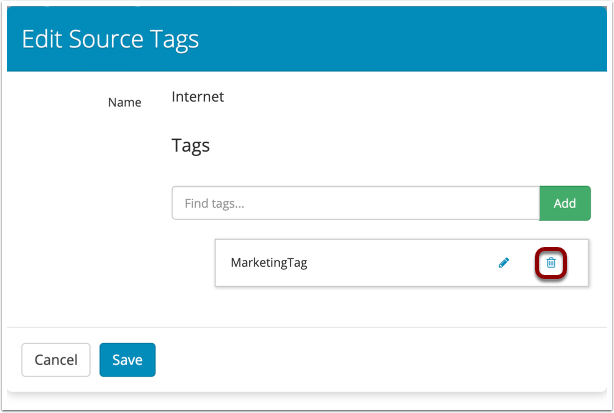
Click the trash can by the tag that appears in the list of tags, then click save.
Comments
0 comments
Please sign in to leave a comment.