
Companies
The Companies screen allows you to view the hierarchical structure of the companies in your organization.
- Expand child companies - Click the drop-down arrow to view companies that are children of a particular company. All companies are descendants of Headquarters.
- Add Company - Click to add another company as a child of this one. Default settings defined on other admin screens for this organization will be used when creating the company.

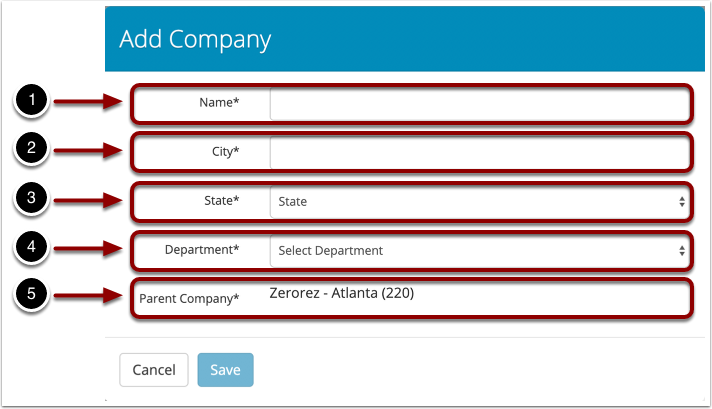
2. Add Company
Name - The name of the company. This can be changed later.
City - The city of the company.
State - The state of the company.
Department - The department that will be used by default for this company. See Admin → Organization → Departments to change the available list.
Parent Company - The parent of this company. To change this, press cancel and then press "Add Company" for the correct company.
Comments
0 comments
Please sign in to leave a comment.